
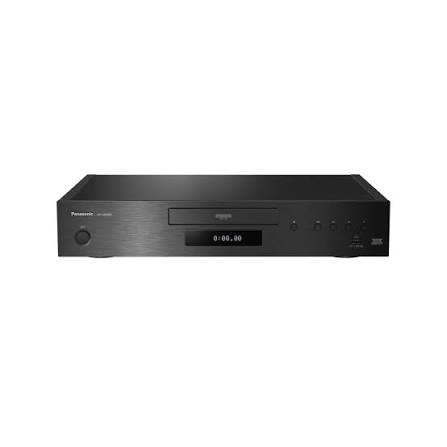
Streaming changed the way we watch movies. There is no arguing that. But somewhere along the way, convenience started to overshadow quality, and millions of viewers settled for compressed video without ever realizing what they were missing. That gap between what streaming delivers and what your television is actually capable of displaying has never been wider than it is right now. This is exactly where a 4k ultra hd player earns its place in your entertainment setup.
Physical media is far from dead. In fact, it is going through a quiet comeback that caught most industry analysts off guard. According to the Digital Entertainment Group, 4K Blu-ray sales in the United States jumped 12 percent in 2025 compared to the previous year. Meanwhile, one production agency reported a staggering 10,000 percent increase in Blu-ray manufacturing orders. Special edition steelbooks and boutique restorations from labels like Criterion and Arrow Video are selling out within days of release. The collector market is booming because people are starting to understand something important — owning a movie on disc means nobody can pull it from your library, edit it without your permission, or compress it into visual mush to save on bandwidth.
This guide walks you through everything you need to know before buying a dedicated disc player. You will learn what separates these machines from standard Blu-ray hardware, why physical discs consistently outperform streaming in both picture and sound, which models deserve your attention, and how to set everything up so your home theater actually performs the way it should.
What a 4K Ultra HD Player Actually Does
Before spending money on any piece of home theater equipment, it helps to know exactly what you are getting. A 4k ultra hd player is a dedicated disc player engineered to read 4K Ultra HD Blu-ray discs, which deliver video at a resolution of 3840 by 2160 pixels. That is four times the pixel count of a standard 1080p Blu-ray. But resolution alone does not tell the whole story. These players also unlock High Dynamic Range content, wider color gamuts, and lossless surround sound formats that standard players simply cannot handle.
Think of it this way. A regular Blu-ray player reads a disc and outputs a very good picture at 1080p. A 4K disc player reads a far denser disc with significantly more data and outputs a picture that is sharper, more colorful, and more lifelike than anything a standard player can produce. The upgrade is not subtle. Side-by-side, the difference is immediately visible in the depth of shadows, the brightness of highlights, and the richness of skin tones and natural landscapes.
One of the most practical advantages is backward compatibility. Every 4K disc player on the market also plays standard Blu-rays, DVDs, and audio CDs. You do not need to keep an old player around for your existing collection. Everything runs through a single machine, and most models will even upscale your older discs to near-4K resolution so they look better than they ever have on a modern television.
The data throughput is where things get truly impressive. A 4K Ultra HD Blu-ray disc can deliver up to 128 megabits per second of video data. Most streaming services top out between 15 and 25 megabits per second, with even the best (Apple TV+) capping around 40. That difference is not a technicality buried in a spec sheet. It is the difference between seeing every thread in a costume and watching the same scene turn into a smudgy, over-compressed mess during a dark action sequence.
Why a 4K Ultra HD Player Outperforms Streaming Services
Streaming is convenient. Nobody disputes that. But convenience and quality are two very different things, and when you compare the raw technical output of a physical disc against even the highest-tier streaming plan, the disc wins every single time. Understanding why requires looking at a few key areas.
Bitrate and Picture Quality. The bitrate gap between disc and stream is enormous. A 100-gigabyte 4K disc can push data at 123 to 144 megabits per second. Netflix, by contrast, delivers 4K content at roughly 15 to 25 megabits per second. That is anywhere from five to nearly ten times less data per second reaching your screen. Less data means more compression, which means lost detail in dark scenes, visible banding in gradients like sunsets or skies, and smeared textures during fast motion. These are not theoretical issues. Watch any action film back to back on disc and stream, and you will spot the differences within minutes.
Audio Fidelity. This is where physical media pulls even further ahead. Discs carry lossless audio formats like Dolby TrueHD, DTS-HD Master Audio, Dolby Atmos, and DTS:X. These formats deliver a full, uncompressed surround sound mix exactly as the studio mixed it. Streaming services compress their audio aggressively. If you have invested in a decent soundbar or a proper surround sound system, the disc version of a movie will sound noticeably fuller, with clearer dialogue, deeper bass, and more precise spatial effects.
Consistency and Ownership. A disc plays at the same quality every time, regardless of your internet speed, how many people in your household are online, or whether your provider is having a rough evening. There is no buffering. There is no sudden resolution drop in the middle of a climactic scene. And crucially, the movie is yours. Streaming libraries change constantly. Studios pull titles, rotate catalogs, and sometimes even alter the content itself. When you own a disc, you own the director-approved version permanently.
Bonus Content. Physical releases frequently include behind-the-scenes documentaries, director commentaries, deleted scenes, and alternate cuts. Streaming versions rarely carry any of this. For film enthusiasts who want more than just the movie itself, discs remain the only reliable source.
Essential Features in a Modern Disc Player
Not all disc players are created equal. The range between a bare-bones budget model and a reference-grade enthusiast machine is wide, and the right choice depends entirely on your existing setup and how seriously you take picture and sound quality. Here are the features that actually matter.
HDR Format Support — Dolby Vision, HDR10, and HDR10+. High Dynamic Range is one of the biggest visual upgrades that comes with 4K discs, but there are multiple competing HDR formats. HDR10 is the baseline that every 4k ultra hd player supports. Dolby Vision is a more advanced, dynamic format that adjusts brightness and contrast scene by scene. HDR10+ is Samsung’s rival to Dolby Vision and works similarly. The challenge is that not all players support all three. The Panasonic DP-UB820 and DP-UB9000 are among the only models that handle Dolby Vision, HDR10, and HDR10+ simultaneously. Sony players like the UBP-X700 support Dolby Vision and HDR10 but skip HDR10+. Budget options may only cover HDR10. Before buying a player, check which HDR formats your television supports and match accordingly.
Audio Codec Compatibility. If you run a home theater receiver or a Dolby Atmos soundbar, make sure your player can pass through lossless audio via bitstream. Most models handle this well, but you need to manually set the audio output to “Bitstream Unprocessed” rather than the default PCM setting. An interesting technical detail is that even players without explicit Atmos branding can still pass through Atmos soundtracks, because Dolby wraps Atmos data inside a TrueHD stream that any compatible player can output.
Connectivity and Build Quality. Dual HDMI outputs matter more than you might think. One port sends video directly to your television while the second sends audio to your receiver. This is essential if your receiver does not support HDMI 2.0a or HDCP 2.2. Beyond that, look for a wired Ethernet port for firmware updates, a USB port for external media playback, and solid construction that minimizes vibration during disc reading. Wi-Fi and built-in streaming apps are nice extras, but most buyers already have a smart TV or a dedicated streaming stick, so paying a premium for these features in a disc player is often unnecessary.
Top Models That Deliver Real Value
The 4K disc player market has narrowed sharply over the past few years. LG, Pioneer, and Oppo have all exited the space. Samsung scaled back its disc player production. Today, Panasonic and Sony dominate the new-player landscape, while several older models from other brands remain widely available on the secondhand market and still perform excellently.
Samsung UBD-K8500 — The Pioneer That Set the Standard. The UBD-K8500 holds a special place in this category as Samsung’s first dedicated 4K disc player and one of the first consumer-ready models to hit the North American market back in 2016. It launched at $399 and introduced millions of early adopters to the format. Its strengths include dual HDMI outputs, HDR10 support, built-in Wi-Fi, 4K streaming apps like Netflix and Amazon, fast disc loading, and effective upscaling of standard Blu-rays and DVDs. The curved design was divisive — Samsung matched it to their curved television lineup — but the playback performance earned widespread praise from reviewers who called it one of the best first-generation media players they had tested. The Samsung UBD-KM85C 4K Ultra HD streaming Blu-ray player is essentially the same hardware sold through select retailers like Sam’s Club, featuring identical core specs. Both models are now discontinued but readily available at reduced prices on the used market, making them a solid entry point for anyone testing the waters.
LG UP875 — Budget-Friendly Without Cutting Corners. The LG UP875 4K Ultra HD 3D Blu-ray player was built with a single-minded philosophy: play discs and play them well. It earned Ultra HD Premium certification, supports HDR10, handles 3D Blu-ray and DVD playback, upscales content to 4K, and reads media from USB drives. What it does not have is Wi-Fi, streaming apps, or any smart features whatsoever. This was an intentional design choice, and it kept the price remarkably low. For buyers whose smart television already handles all their streaming needs, the UP875 offered everything that mattered without a dollar wasted on redundant features. Since LG exited the disc player business entirely in 2023, remaining units are only available secondhand. Users consistently praised its fast boot times, reliable playback, and strong upscaling performance.
Magnavox MBP6700P — The Most Affordable Entry Point. The Magnavox MBP6700P 4K Ultra HD Blu-ray player quietly became a fan favorite among budget-conscious buyers who wanted 4K disc playback without spending more than the cost of a nice dinner. Originally priced under $100, this tiny player packed a surprisingly capable spec sheet: HDR10, Dolby Digital Plus 7.1, DTS 7.1, 4K upconversion for legacy discs, 3D playback, and an almost comically compact form factor. The trade-offs are real — no Wi-Fi, no streaming apps, a single HDMI output, and a remote control roughly the size of a thumb — but the picture quality relative to the price earned it overwhelmingly positive reviews. One Best Buy reviewer described it as outperforming a player that cost five times as much. For a no-frills disc spinner that simply does its job and does it well, the MBP6700P remains one of the most compelling options on the secondhand market.
Current Market Leaders — Panasonic and Sony. For buyers who want a new, currently supported 4k ultra hd player in 2026, the realistic choices come down to Panasonic and Sony. The Panasonic DP-UB820 is widely considered the best all-around option, supporting Dolby Vision, HDR10, HDR10+, and HLG, with a Hollywood Cinema Experience processor that handles HDR tone mapping better than nearly anything in its price class. The Sony UBP-X700 is the leading budget pick among currently manufactured players, offering Dolby Vision, HDR10, dual HDMI outputs, and lively picture quality at a lower price point. For reference-grade performance, the Panasonic DP-UB9000 sits at the top of the lineup with premium build quality, full 7.1 analog audio output, and the finest video processing available in a consumer disc player.
Getting the Most Out of Your Setup
Buying the right player is only half the equation. How you connect and configure it determines whether you actually see and hear the full potential of your discs.
Matching Your Player to Your Display. Your television needs to support 4K resolution and at least one HDR format. If your TV only handles HDR10, there is no benefit to buying a player with Dolby Vision — save the money and get a model that matches your set’s capabilities. Conversely, if you own a Dolby Vision television, choosing a player that supports it will unlock noticeably better scene-by-scene brightness and contrast adjustments.
Audio Setup and HDMI Configuration. Connect your player to the HDMI port on your television that is specifically labeled for 4K HDR input. Not all HDMI ports on a TV are equal — many sets reserve full-bandwidth 4K HDR capability for only one or two ports. In your player’s audio settings, switch the output from PCM to Bitstream Unprocessed if you want to pass lossless Dolby Atmos or DTS:X audio through to a compatible receiver or soundbar. If your AV receiver is an older model that does not support HDMI 2.0a, use the player’s second HDMI output to send audio separately. This workaround preserves both 4K video to the TV and high-quality audio to the receiver without requiring an expensive equipment upgrade.
Firmware and Disc Region Considerations. Keep your player’s firmware updated through its Ethernet connection. Firmware updates fix bugs, improve disc compatibility, and occasionally add support for new features. On the topic of regions, here is a fact that surprises many buyers: 4K Ultra HD Blu-ray discs are completely region-free by format specification. There is no region coding on any 4K disc anywhere in the world. A disc purchased in Japan, the UK, or the United States will play on any 4k ultra hd player regardless of where it was sold. Region locking only applies to older formats — standard 1080p Blu-rays use regions A, B, and C, and DVDs use regions 0 through 8.
Pitfalls to Avoid When Shopping
A few common mistakes trip up first-time buyers, and they are all easy to avoid once you know what to look for. The first is assuming that a 4K television includes a built-in disc player. It does not. A 4K TV displays 4K content, but you still need a separate player to read physical discs. The second mistake is overlooking HDR format compatibility. Buying a Dolby Vision player when your TV only supports HDR10+ means you are paying for a feature you cannot use. The third is spending extra on built-in streaming apps when your smart TV already offers the same services. The fourth, and arguably the most costly, is expecting a standard 1080p Blu-ray player to read 4K UHD discs. It cannot. The disc format is physically different, and a standard player lacks the laser required to read it. Finally, do not ignore audio output options. If your receiver only has optical audio input and no HDMI, confirm that the player you are considering has a compatible output before buying.
The Case for Investing in Physical 4K Media Today
One question comes up more than any other: is it still worth buying a 4k ultra hd player in 2026? The short answer is yes, and the long answer comes down to a few hard facts.
The 4K Ultra HD Blu-ray format is widely considered the final physical disc format. There are no plans for an 8K disc successor because the human eye, at typical viewing distances on current home screen sizes, has already reached a point of diminishing returns with 4K resolution. This makes every disc you buy and every player you invest in a genuinely future-proof purchase. The format is mature, the technology is settled, and the players are proven. Some of the best models available today were designed in 2018 and 2019 and are still in production because they simply do not need to be improved.
Meanwhile, the case against streaming keeps growing stronger. Services continue raising their subscription prices, especially for 4K tiers. Content libraries rotate unpredictably. Sony recently deleted over 500 movies from users’ digital libraries, a stark reminder that “buying” a digital movie often means renting a license that can be revoked. The Blu-ray player market itself hit a valuation of $2.8 billion in early 2026, with 4K Ultra HD players now representing 63 percent of all new Blu-ray device shipments globally. This is not a dying category. It is a refined, focused market serving viewers who refuse to compromise on quality.
For casual viewers who are perfectly happy with Netflix on the couch, streaming is fine. But for anyone who has invested in a quality television and sound system, a dedicated disc player is the only way to unlock what that equipment is truly capable of delivering. The difference is not marginal. It is the difference between watching a movie and experiencing one.
Conclusion
A 4k ultra hd player delivers something streaming still cannot replicate — consistent, reference-quality picture and sound with zero dependence on your internet connection. The format has matured to a point where even budget models like the Magnavox MBP6700P punch well above their price, legacy machines like the Samsung UBD-K8500 and LG UP875 continue to satisfy on the secondhand market, and current Panasonic and Sony players offer the most complete feature sets for anyone building a serious home cinema.
The physical media comeback is not a trend driven by nostalgia. It is driven by viewers who noticed what they lost when they handed their movie libraries over to algorithms and bandwidth caps. As streaming services keep raising prices and pulling content, owning your movies on disc has never looked smarter, and a good disc player is the foundation of that entire experience.
Frequently Asked Questions
1. What is a 4K Ultra HD player? A 4K Ultra HD player is a dedicated disc player designed to read 4K Ultra HD Blu-ray discs, delivering video at 3840 by 2160 resolution with High Dynamic Range and lossless surround sound. It also plays standard Blu-rays, DVDs, and audio CDs, making it a complete physical media solution for any home theater setup.
2. Can a regular Blu-ray player play 4K Ultra HD discs? No. Standard Blu-ray players lack the laser technology required to read 4K Ultra HD Blu-ray discs. You need a dedicated 4K Ultra HD player to play these discs. However, a 4K player will play your older standard Blu-rays and DVDs without any issues since it is fully backward compatible.
3. Is a 4K Ultra HD player worth buying in 2026? Yes, especially for anyone who values picture and sound quality. A 4K disc delivers up to 128 Mbps of video data compared to just 15 to 25 Mbps from most streaming services. The format is considered the final physical disc standard with no 8K successor planned, making any player you buy today a genuinely future-proof investment.
4. What is the difference between a 4K Ultra HD player and a 4K streaming device? A 4K Ultra HD player reads physical Blu-ray discs that carry uncompressed video and lossless audio, while a streaming device pulls compressed content over your internet connection. The disc player delivers up to six times more data per second, resulting in sharper detail, smoother color gradients, and vastly superior audio through formats like Dolby TrueHD and DTS-HD Master Audio.
5. Do I need a 4K TV to use a 4K Ultra HD player? Not strictly. A 4K Ultra HD player will work with a 1080p television by downscaling the output. However, you will not see the full benefits of 4K resolution or HDR on a non-4K screen. To experience the full picture quality these discs offer, a 4K HDR-compatible television or projector is strongly recommended.
6. Are 4K Ultra HD Blu-ray discs region locked? No. By format specification, all 4K Ultra HD Blu-ray discs are completely region-free worldwide. A disc bought in any country will play on any 4K player anywhere. Region coding only applies to standard 1080p Blu-rays (regions A, B, C) and DVDs (regions 0 through 8), not to the 4K format.
7. Can a PS5 or Xbox Series X replace a dedicated 4K Ultra HD player? Both consoles can play 4K Ultra HD Blu-ray discs, but they have notable limitations. The PS5 does not support Dolby Vision and its disc drive can be noisy during playback. The Xbox Series X supports Dolby Vision but has weaker upscaling for standard Blu-rays. A dedicated player offers better HDR tone mapping, quieter operation, and broader format support.
8. What HDMI cable do I need for a 4K Ultra HD player? You need a high-speed HDMI cable that supports HDMI 2.0 or higher to pass 4K HDR signals. Most cables sold today meet this standard. Your television’s HDMI port also needs to support HDCP 2.2 copy protection. If your existing cable already works for 4K content from other devices, it will work for the disc player as well.
9. Which brands still make 4K Ultra HD players in 2026? The market has consolidated significantly. Panasonic and Sony are the two remaining mainstream manufacturers still producing and supporting new models. LG, Pioneer, Samsung, and Oppo have all exited the disc player business. Boutique brands like Magnetar also offer high-end reference players for enthusiast buyers.
10. What is the best budget 4K Ultra HD player? The Sony UBP-X700 is widely considered the best budget option among currently manufactured players. It supports Dolby Vision, HDR10, and dual HDMI outputs at a price under $250. On the secondhand market, the Magnavox MBP6700P and LG UP875 offer solid 4K disc playback at even lower prices for buyers who do not need streaming features.
11. What does HDR mean on a 4K Ultra HD player? HDR stands for High Dynamic Range. It allows the player to output a wider range of brightness and color than standard dynamic range content. HDR content shows deeper blacks, brighter highlights, and more lifelike colors. The three main HDR formats found on disc players are HDR10, Dolby Vision, and HDR10+, and not all players support all three.
12. Does a 4K Ultra HD player upscale old DVDs and Blu-rays? Yes. Nearly every 4K Ultra HD player includes built-in upscaling that converts standard Blu-ray (1080p) and DVD (480p) content to near-4K resolution. The quality of upscaling varies by model, with Panasonic players generally receiving the highest praise for making older discs look noticeably sharper and more detailed on a 4K display.
13. How does a 4K Ultra HD player connect to a home theater receiver? Most players connect via HDMI, sending both audio and video through a single cable. Many mid-range and premium models offer dual HDMI outputs — one for video directly to the TV and one for audio to the receiver. Set the player’s audio output to Bitstream Unprocessed to pass lossless Dolby Atmos and DTS:X soundtracks to a compatible receiver.
14. Can I still buy 4K Ultra HD Blu-ray discs in stores? Yes, though in-store selection has thinned. Major retailers like Best Buy, Walmart, and Target still carry 4K discs, and online retailers like Amazon have extensive catalogs. Boutique labels like Criterion and Arrow Video continue releasing new 4K restorations regularly. The collector market is actively growing, with 4K Blu-ray sales increasing 12 percent year over year in 2025.
15. Why is a 4K disc better quality than 4K streaming? It comes down to data. A 4K Ultra HD Blu-ray disc can deliver between 72 and 144 megabits per second of video data, while streaming services typically cap at 15 to 25 megabits. More data means less compression, which means sharper detail in dark scenes, smoother color transitions, and zero buffering. Disc audio is also lossless, unlike the lossy compression used by streaming platforms.
16. Do 4K Ultra HD players support Dolby Atmos? Yes. Most 4K Ultra HD players pass through Dolby Atmos soundtracks via HDMI bitstream to a compatible AV receiver or soundbar. Even players that do not explicitly mention Atmos in their specifications can pass the format because Dolby wraps Atmos data inside a TrueHD stream that any player with TrueHD bitstream output can handle.
17. What is the difference between Dolby Vision and HDR10 on a 4K Ultra HD player? HDR10 is the universal baseline HDR format supported by every 4K player and disc. It uses static metadata, meaning brightness settings are fixed for the entire film. Dolby Vision uses dynamic metadata that adjusts brightness and contrast scene by scene for a more optimized picture. Not all players support Dolby Vision, so check compatibility with your television before purchasing.
18. How long do 4K Ultra HD Blu-ray players last? These players are built with mature, reliable technology. Many of the best models currently available were designed between 2018 and 2019 and remain in active production with firmware support. There are no moving parts besides the disc tray and the spinning disc itself, so with normal use, a well-made player can last a decade or more.
19. Can a 4K Ultra HD player play music CDs and SACDs? Every 4K Ultra HD player can play standard music CDs. SACD and DVD-Audio support varies by model. Sony players like the UBP-X800M2 support SACD playback, as do certain Panasonic flagship models. Budget players typically skip these niche audio formats, so check the specifications if high-resolution music disc playback matters to you.
20. Is there going to be an 8K Blu-ray format after 4K? No. There are currently no plans for an 8K physical disc format. Industry consensus holds that 4K resolution has reached the point of diminishing returns for typical home viewing distances and screen sizes. The 4K Ultra HD Blu-ray format is widely considered the final physical media standard, making current players and disc collections a long-term investment.
21. Do I need Wi-Fi on my 4K Ultra HD player? Not necessarily. Wi-Fi enables built-in streaming apps and wireless firmware updates, but most buyers already have a smart TV or a dedicated streaming device that handles those tasks. Players without Wi-Fi typically cost less and still accept firmware updates through a wired Ethernet connection. Unless you specifically want streaming apps on the player itself, Wi-Fi is a nice-to-have rather than a necessity.
22. Why are there so few 4K Ultra HD player models available? The market has matured and consolidated. Streaming shifted casual viewers away from physical media, reducing demand for new hardware development. Several major manufacturers including LG, Pioneer, Samsung, and Oppo stopped making disc players entirely. The remaining brands — Panasonic and Sony — continue producing proven models that deliver excellent performance, which is why many top-rated players today are designs from 2018 or 2019 still in production.
23. Can I use a 4K Ultra HD player with a projector? Absolutely. A 4K Ultra HD player works with any 4K-compatible projector that has an HDMI input supporting HDCP 2.2. The combination is particularly popular for dedicated home theater rooms where screen sizes often exceed 100 inches. At that scale, the superior bitrate and detail of a physical disc compared to streaming become even more visible and impactful.
24. What happens if I put a 4K Ultra HD disc in a regular Blu-ray player? The regular player will not read the disc. It may attempt to load and then display an error, or it may simply not recognize the disc at all. In rare cases, the disc can become physically stuck and require manual ejection using the player’s emergency pin release. No damage occurs to the disc itself, but the standard player’s laser simply cannot read the denser data layer of a 4K Ultra HD Blu-ray.