
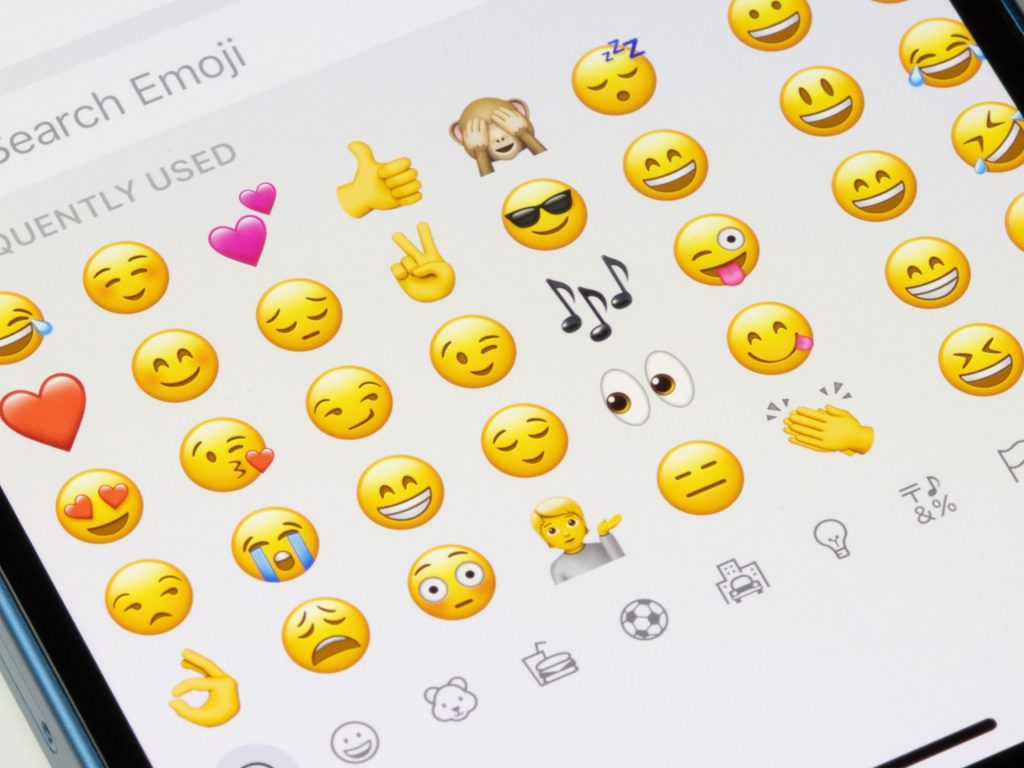
There is something oddly exciting about new emojis dropping on your iPhone. It feels like unwrapping a tiny gift — you scroll through the keyboard, spot something fresh, and immediately fire it off in a group chat to see who notices. That excitement hit millions of Apple users on March 31, 2025, when the company rolled out its latest software update packed with 8 new emojis iOS 18.4 pulled straight from the Unicode Emoji 16.0 recommendation list. This was the first emoji refresh since iOS 17.4 landed back in March 2024, which means iPhone users went a full year without a single new character on their keyboards. The wait, it turns out, was worth it. This batch includes a tired face with dark circles under its eyes, a fingerprint, a golden harp, a colorful paint splatter, a root vegetable, a leafless tree, a shovel, and — perhaps the most puzzling addition — the flag of a tiny island most people have never heard of. On top of the new characters, Apple also redesigned the Syrian flag emoji and expanded its Genmoji feature to European Union users for the first time. Whether you want the complete list, the real-world meaning behind each character, or a simple walkthrough on how to get them on your device, this article covers all of it in plain language.
What Are the 8 New Emojis in iOS 18.4?
Every new emoji that appears on your iPhone starts its life at the Unicode Consortium, the nonprofit organization responsible for maintaining text standards across the world’s digital platforms. In September 2024, Unicode published its Emoji 16.0 recommendation list, which included seven brand-new emoji characters and one new flag. Apple then took those recommendations, designed its own artwork for each character, and shipped them to users through the iOS 18.4 update on the last day of March 2025.
Here is the complete list of the 8 new emojis in iOS 18.4, along with their official Unicode names:
- Face with Bags Under Eyes
- Fingerprint
- Harp
- Splatter
- Root Vegetable
- Leafless Tree
- Shovel
- Flag of Sark
With these additions, the total number of emojis available on an iPhone now sits at roughly 3,790 when you count every skin-tone variation, gender sequence, and family combination under the official Unicode RGI (Recommended for General Interchange) list. If you have seen different numbers floating around online, that is because people count emojis in different ways. Some only tally base characters, while others include every possible variation. The RGI count is the one that matches what you actually see on your keyboard.
One thing worth remembering is that Apple designs its own visual style for every emoji. The same character can look noticeably different on a Samsung phone, a Google Pixel, or a Windows laptop. Unicode defines the meaning and the name. Apple, Google, Samsung, and Microsoft each draw their own version of the artwork.
How Unicode and Apple Work Together on New Emojis
The process behind each of the 8 new emojis iOS 18.4 delivered to your keyboard is more structured than most people realize. Proposals go through a review period at Unicode. Once approved and recommended, each platform vendor creates its own design. Apple typically previews its designs during the beta testing period for a new iOS version, then locks them in before the public release.
For this particular cycle, Apple’s designs remained unchanged between the second iOS 18.4 beta back in February 2025 and the final public launch. That is not always the case. In past years, Apple revised the Bagel emoji and made adjustments to the Peach emoji during beta periods after user feedback. The Troll emoji also got a quiet redesign during the iOS 15.4 beta. This time around, though, what testers saw in February was exactly what shipped in March.
A Closer Look at Each of the 8 New Emojis iOS 18.4 Introduced
Numbers and lists are helpful, but the real question most people have about the 8 new emojis iOS 18.4 shipped is simple — what do these things actually look like, and when would I use them? Below is a practical breakdown of every new character, what it represents, and how people are already working it into their daily conversations.
1. Face with Bags Under Eyes — The Standout Star
If there is one emoji from this entire batch that has already earned a permanent spot on people’s keyboards, it is this one. The design features heavy-lidded eyes, visible dark circles underneath, and a short, flat mouth that perfectly captures the look of someone who has not slept enough, worked too much, or simply run out of energy. It is burnout in a single character.
Since the update dropped, this emoji has gone absolutely viral. Multiple outlets have called it the most relatable emoji of 2025, and the prediction is that it will end up being one of the most frequently used new additions in years. That tracks with historical data too — face emojis consistently dominate usage charts. As of early May 2025, over three face emojis were sitting in the global top ten. This new tired face fits right in. You can use it for Monday morning texts, late-night study sessions, parenting exhaustion, post-travel fatigue, or honestly just existing in the modern world. It is the kind of emoji that works in almost any casual conversation because, let’s be real, everyone has felt that way at some point.
2. Fingerprint — Identity and Security in One Symbol
This one looks exactly like what you would expect — a swirled fingerprint pattern rendered in Apple’s clean, slightly stylized design language. On the surface, it is straightforward. But the use cases are surprisingly broad. True-crime fans have already adopted it for podcast discussions and mystery threads. It works well in conversations about biometric security, phone unlocking, or digital privacy. And on a more symbolic level, people are using it to represent individuality, leaving your mark, or the idea that everyone is one of a kind. It is not going to be the most popular emoji on your keyboard, but it fills a gap that did not have a good option before.
3. Harp — A Musical Addition That Feels Overdue
Apple’s version of the Harp emoji is a tall, golden, classical-style harp. Many people assumed this emoji already existed, which says something about how naturally it fits into the keyboard. It is useful for classical music references, Irish cultural nods, angelic or heavenly tones in conversation, and even summer photo captions where you want something a bit more elegant than a musical note. If you are the kind of person who uses the guitar or piano emoji regularly, the harp gives you another option with a slightly different mood.
4. Splatter — Creativity Gets Messy
The Splatter emoji looks like a burst of paint hitting a surface, with multiple colors radiating outward. It is loud, chaotic, and fun. Creative types have taken to it quickly — it works for anything related to art projects, messy cooking, brainstorming sessions, or the general vibe of making something without worrying about perfection. It also pairs well with other emojis in a sequence, which makes it versatile for captions and stories where you want to convey energy and movement. Think action painting, splashy events, or even a dramatic spill at the dinner table.
5. Root Vegetable — For Foodies and Gardeners
This emoji depicts a turnip or radish-style vegetable with leafy greens sprouting from the top. It is a niche addition, but it has found its audience among foodies, home gardeners, and anyone who gets excited at a farmer’s market. The obvious use is in cooking conversations — sharing a recipe, talking about what is growing in the garden, or celebrating a harvest. But people have also picked up on the wordplay potential. “Getting back to your roots” suddenly has a visual companion. Grandma’s famous stew? Root vegetable emoji. Growing your own vegetables for the first time? Root vegetable emoji. It is simple, but it works.
6. Leafless Tree — Seasonal and Symbolic
Among the 8 new emojis iOS 18.4 introduced, this one carries the most symbolic weight. The Leafless Tree is exactly what it sounds like — a bare tree with visible branches and no leaves. Apple’s design gives it a slightly somber, stripped-back feel. The most obvious uses are seasonal. Autumn texts, winter landscape photos, and Halloween messages all benefit from having a tree that actually looks like it belongs in a cold-weather scene. But people have also found symbolic uses for it — fresh starts, endings, letting go of what no longer serves you, or the quiet beauty of a landscape stripped down to its bones. It is one of those emojis that says more than it seems at first glance.
7. Shovel — Surprisingly Versatile
With its wooden handle, red grip, and silver spade, the Shovel emoji is built for practical conversations. Gardening, DIY projects, construction work, and yard cleanup all come to mind immediately. But the metaphorical potential is where this emoji really earns its keep. People are using it to mean “digging into” the latest gossip, “burying” the past, “unearthing” old memories, or working hard behind the scenes. It pairs nicely with other emojis for storytelling, and its everyday familiarity makes it easy to drop into a conversation without needing to explain what you mean.
8. Flag of Sark — The Most Unexpected Entry
This is the one that raised eyebrows. Of all the 8 new emojis iOS 18.4 brought to iPhones, this flag has generated the most confusion and curiosity. Sark is a tiny island in the English Channel, sitting between England and France, with a population of roughly 500 people. So why does it have its own flag emoji? The answer lies in a technical detail. The Unicode Consortium stopped accepting new flag emoji proposals back in March 2022 because flags are politically sensitive and managing requests had become unworkable. However, Sark was assigned an ISO 3166 code, which triggered an automatic inclusion mechanism that had been dormant since flag emojis were first standardized in 2015. This is the first time that mechanism has produced a new national or regional flag emoji. User reactions ranged from genuine curiosity to outright amusement, with plenty of people joking that maybe three people on the planet would ever use it. Still, it is a neat piece of emoji history, and it gave Sark more international attention than the island has probably ever received.
The Redesigned Syrian Flag Emoji — A Historic First
Beyond the 8 new emojis iOS 18.4 delivered, this update also changed the design of an existing emoji in a historically significant way. The Syrian flag emoji was updated to reflect the country’s new de facto flag following the fall of the Assad regime on December 8, 2024. Apple was the first major emoji vendor to make this change, and it had been widely requested by Syrian users and supporters online from the moment the regime fell. The new design features a horizontal triband of green, white, and black with three red five-pointed stars on the white band. This flag was originally used between 1930 and 1958 and later became a symbol of opposition to the Assad government starting around 2006. One important detail is that this design change applies retroactively. That means if someone sent the Syrian flag emoji in a message months ago, it now displays the new flag design on any device running iOS 18.4 or later, regardless of when the original message was written. Unicode does not support historical flag versions, so the design update is universal. This marks the first time an emoji flag has been redesigned following a regime change in a country, which makes it a notable milestone in the evolution of digital communication.
Genmoji and iOS 18.4 — Custom AI Emojis Arrive for More Users
While the 8 new emojis iOS 18.4 brought to the keyboard are standard Unicode characters that work on every compatible iPhone, this update also expanded a much more ambitious feature — Genmoji. Genmoji is Apple’s custom emoji generator, powered by Apple Intelligence. It lets you type a description of the emoji you want — something like “a sleepy cat wearing glasses” or “a dog playing guitar” — and the system generates several options for you to choose from. The feature first launched with iOS 18.2 in December 2024 for users outside the European Union and China. Due to regulatory considerations, EU users had to wait until iOS 18.4 rolled out in March 2025 to gain access. Genmoji works directly from the emoji keyboard, so there is no separate app or extra step involved. You type your description, wait a few seconds, and then pick from the generated designs. The entire process runs on-device through Apple Intelligence, which means your descriptions and results are handled privately without being sent to a cloud server.
There is, however, a hardware requirement. Genmoji only works on devices that support Apple Intelligence, which currently includes the iPhone 15 Pro, iPhone 15 Pro Max, and every iPhone 16 model. Older iPhones can receive and display Genmoji sent by someone else, but they cannot create new ones. Apple also restricts certain content — you cannot generate emojis based on copyrighted characters or intellectual property.
How to Get the 8 New Emojis on Your iPhone
Getting the 8 new emojis iOS 18.4 delivered onto your device is straightforward. All you need to do is update your iPhone to iOS 18.4 or any later version. Once the update finishes, the emojis appear automatically in your keyboard. There is no separate download or toggle to flip.
Step-by-Step Update Instructions
Open the Settings app on your iPhone. Tap on General. Select Software Update. If iOS 18.4 or a newer version is available, tap Download and Install. Wait for the installation to finish and your phone to restart. The update is compatible with a wide range of devices, including the iPhone XS and everything newer, the iPhone XR, and the iPhone SE second and third generation models. If your phone supports iOS 18, it supports this update.
Finding the New Emojis on Your Keyboard
Once the update is installed, there are two easy ways to locate the 8 new emojis iOS 18.4 placed on your keyboard. The fastest method is to use the search bar inside the emoji keyboard. Open any app where you can type — Messages, Notes, WhatsApp, or anything else — tap the emoji icon, and type a keyword like “tired,” “harp,” “shovel,” or “fingerprint” into the search field. The matching emoji will show up immediately. The second option is to browse by category. The Face with Bags Under Eyes sits in the Smileys and People section. The Harp, Splatter, Shovel, and Fingerprint are under Objects. The Root Vegetable and Leafless Tree appear in Animals and Nature. And the Flag of Sark is in the Flags section, listed alphabetically. After you use a new emoji for the first time, it will also appear in your Recently Used section for quick access.
Why Some People Cannot See the New Emojis
If you have sent one of the 8 new emojis iOS 18.4 added to your keyboard and your friend responded with confusion — or told you they just see a blank square — the explanation is simple. The recipient’s device needs to support Emoji 16.0 in order to display these characters correctly. If someone is still running iOS 17 or an older version of the operating system, their phone does not have the font data needed to render the new emojis. The same issue applies across platforms. An Android user who has not updated to a build that supports Emoji 16.0 will see a placeholder icon instead of the actual emoji. Some web browsers and older apps can also struggle with rendering if their emoji font has not been updated. The good news is that this is a temporary problem. As more people update their devices throughout the year, compatibility improves naturally. If both the sender and recipient are running the latest software and using a modern messaging app, the emojis display correctly every time.
When Will More Emojis Arrive? A Look at What Is Next
Apple has followed a remarkably consistent schedule for emoji updates over the past few years. New characters arrived with iOS 15.4 in March 2022, iOS 16.4 in March 2023, iOS 17.4 in March 2024, and now 8 new emojis iOS 18.4 in March 2025. If that pattern holds, the next emoji update should land with iOS 19.4 sometime in the spring of 2026. Unicode 17.0 candidates are already being discussed, with rumored additions including a Treasure Chest and a Trombone, among others. Meanwhile, other platforms are catching up with Emoji 16.0 on their own timelines. Android 16 and Samsung’s One UI 7 are expected to bring the same set of characters to their users. Google’s Noto Color Emoji font will update as well, which means Gmail, ChromeOS, and YouTube will eventually render these emojis natively. The emoji ecosystem moves slowly, but it moves in sync — what you see on your iPhone today will eventually appear everywhere.
Conclusion
It is easy to dismiss emojis as trivial, but the reality is that they shape how billions of people communicate every single day. The 8 new emojis iOS 18.4 added to the iPhone keyboard may seem like a small batch on paper, but every one of them fills a specific gap. The Face with Bags Under Eyes alone has already become one of the most talked-about digital characters of 2025, simply because it captures a feeling that almost everyone can relate to. The Fingerprint, Harp, Splatter, Root Vegetable, Leafless Tree, Shovel, and Flag of Sark each bring their own personality and utility to the table. Pair those with the redesigned Syrian flag and the expanded Genmoji feature, and iOS 18.4 quietly delivered one of the most meaningful emoji updates in recent memory. If you have not updated your iPhone yet, now is a good time. The new characters are waiting for you, and chances are the very first one you send will be that tired face — because we have all been there.
Frequently Asked Questions
1. What are the 8 new emojis in iOS 18.4?
The eight new emojis are Face with Bags Under Eyes, Fingerprint, Harp, Splatter, Root Vegetable, Leafless Tree, Shovel, and Flag of Sark. All eight were recommended by the Unicode Consortium under Emoji 16.0 and released to iPhone users on March 31, 2025.
2. How do I get the 8 new emojis iOS 18.4 added to my iPhone?
Simply update your iPhone to iOS 18.4 or later by going to Settings, then General, then Software Update. Once the update installs, the new emojis will appear automatically in your keyboard without any additional downloads or toggles.
3. Which iPhone models support the new emojis in iOS 18.4?
The 8 new emojis iOS 18.4 introduced are available on every iPhone that supports iOS 18, which includes the iPhone XS and newer, the iPhone XR, and the iPhone SE second and third generation. You do not need the latest iPhone model to access them.
4. Why does my friend see a blank square instead of the new emoji I sent?
Your friend’s device likely has not been updated to a software version that supports Emoji 16.0. Until they update to iOS 18.4 or later, or until their Android phone receives a compatible update, the new emoji will display as a blank box or placeholder character.
5. What is the most popular emoji from the iOS 18.4 update?
The Face with Bags Under Eyes has quickly become the standout favorite from the 8 new emojis iOS 18.4 released. Multiple publications have predicted it will be the most-used new emoji of 2025, largely because it captures the universal feeling of exhaustion in an instantly recognizable way.
6. What does the Face with Bags Under Eyes emoji mean?
This emoji depicts a tired face with drooping eyelids, visible dark circles, and a flat mouth. It is used to express exhaustion, burnout, sleep deprivation, being overworked, or simply feeling drained after a long day or a difficult week.
7. What is the Flag of Sark, and why was it added as an emoji?
Sark is a small island in the English Channel with a population of about 500 people. Its flag was added through an automatic mechanism tied to its ISO 3166 code assignment, not through a traditional proposal, since Unicode stopped accepting new flag emoji requests in 2022.
8. Did iOS 18.4 change the design of any existing emojis?
Yes. Apple redesigned the Syrian flag emoji to reflect the country’s new de facto flag after the fall of the Assad regime in December 2024. Apple was the first emoji vendor to make this change, and the update applies retroactively to older messages on your device.
9. What is Genmoji, and is it the same as the 8 new emojis iOS 18.4 released?
No, they are different. The 8 new emojis are standard Unicode characters available on all compatible iPhones. Genmoji is a separate Apple Intelligence feature that lets you create custom emojis from text descriptions, and it only works on iPhone 15 Pro and iPhone 16 models.
10. Do the new iOS 18.4 emojis work on WhatsApp, Instagram, and other apps?
Yes. Once you update to iOS 18.4, the new emojis appear in your system keyboard and can be used in any app that supports standard text input, including WhatsApp, Instagram, iMessage, Snapchat, and more. The recipient must also have a compatible device to see them correctly.
11. How many total emojis are on iPhone after the iOS 18.4 update?
After the iOS 18.4 update, the total emoji count on iPhone reaches approximately 3,790 under the official Unicode RGI list. This number includes all skin-tone variations, gender sequences, and family combinations, which is why different sources sometimes report different totals.
12. Will these same emojis appear on Android and Windows devices?
Yes, but on different timelines. Android 16, Samsung One UI 7, and upcoming Windows 11 updates will include the same Emoji 16.0 characters. The visual designs will look slightly different because each platform creates its own artwork for every emoji.
13. Why do emojis look different on iPhone and Android?
Each platform vendor — Apple, Google, Samsung, Microsoft — designs its own visual interpretation of every Unicode emoji. Unicode defines the name and meaning of the character, but the actual artwork is created independently by each company, which is why the same emoji can look noticeably different across devices.
14. Can I use the new iOS 18.4 emojis on my iPad, Mac, or Apple Watch?
Yes. The same eight new emojis are included in iPadOS 18.4, macOS 15.4 (Sequoia), watchOS 11.4, tvOS 18.4, and visionOS 2.4. Simply update each device to the latest software version, and the new emojis will appear automatically in the keyboard.
15. Why are my new emojis not showing up after updating to iOS 18.4?
If the emojis are missing after updating, try restarting your iPhone first. If that does not work, go to Settings, General, Keyboard, and remove the Emoji keyboard, then add it back. Also check that the Stickers toggle is not causing blank circles in your recently used section.
16. What is the difference between Emoji 16.0 and iOS 18.4?
Emoji 16.0 is the Unicode standard that defines which new emoji characters are approved for use across all platforms. iOS 18.4 is Apple’s specific software update that implements those Emoji 16.0 characters with Apple’s own visual designs on iPhone, iPad, and other Apple devices.
17. Is the Face with Bags Under Eyes emoji different from the existing Tired Face emoji?
Yes. The older Tired Face emoji shows distress and frustration with an open mouth, while the new Face with Bags Under Eyes specifically highlights visible dark circles and heavy eyelids with a calm, resigned mouth. It represents physical exhaustion and fatigue rather than emotional frustration.
18. What does the Splatter emoji mean, and when should I use it?
The Splatter emoji depicts a burst of colorful paint hitting a surface. People use it to express creativity, messy situations, artistic energy, or chaotic fun. It works well for art project conversations, dramatic storytelling, or anytime you want to convey something wild and uncontained.
19. Why did Apple change the Syrian flag emoji in iOS 18.4?
Apple updated the Syrian flag emoji to reflect the country’s new de facto flag after the Assad regime fell on December 8, 2024. This was the first time an emoji flag design was changed following a regime change, and Apple became the first major emoji vendor to implement the update.
20. Does the Syrian flag emoji change affect old messages?
Yes. The updated flag design applies retroactively, meaning any previous message containing the Syrian flag emoji now displays the new design on devices running iOS 18.4 or later. Unicode does not support historical flag versions, so there is no way to display the older design.
21. Can I create my own custom emojis on iPhone with iOS 18.4?
Yes, through the Genmoji feature powered by Apple Intelligence. You can type a text description of the emoji you want, and the system generates several options for you. However, Genmoji requires an iPhone 15 Pro, iPhone 15 Pro Max, or any iPhone 16 model to create new designs.
22. When will the next set of new emojis arrive on iPhone?
Based on Apple’s consistent annual schedule, the next batch of emojis is expected with iOS 19.4 in the spring of 2026. Unicode 17.0 candidates, including characters like Treasure Chest, Trombone, and Distorted Face, are already being discussed for future inclusion.
23. What happens if I send a new emoji to someone using an older iPhone?
If the recipient is running iOS 17 or an earlier version, they will see a blank square, a question mark box, or a placeholder character instead of the actual emoji. For flag emojis like Sark, they may see the regional indicator letters “CQ” instead of the flag artwork.
24. Why did Apple only add 8 emojis this year instead of more?
Apple implements whatever the Unicode Consortium recommends each year, and Emoji 16.0 only included seven new characters plus one new flag. The number varies annually based on what Unicode approves. Previous years have seen larger batches, but Apple does not control how many characters make the final recommendation list.