Managing care documentation in an assisted living facility is one of the most demanding administrative responsibilities a team faces. State regulations are strict. Staff turnover is constant. And the pressure to maintain accurate, real-time resident records never lets up. That is the problem that RTasks was built to solve.
Developed by ResiDex Software, this platform is a cloud-based electronic health records and task management system designed specifically for long-term care providers. It is not a repurposed corporate productivity app. Every feature inside it was created for the daily realities of assisted living communities, group homes, adult foster care settings, and home care agencies.
This guide covers the complete picture. You will learn what the platform does, how to navigate the login process step by step, what Minnesota-based users need to know about their specific setup, how the mobile app works, and what to do when something goes wrong. By the end, you will have a clear and practical understanding of the system from every angle.
What Is RTasks? A Quick Overview
Before walking through the login steps and feature set, it helps to understand what this platform actually is and why it has earned the trust of care organizations across the country.
At its core, this is a care management platform that brings together electronic health records, task assignments, medication administration, incident documentation, and staff communication under one digital roof. The goal is simple: remove the paper, reduce the errors, and give every person on the care team the information they need, when they need it.
It serves a wide range of organizations. Small group homes use it to track daily tasks and medications for a handful of residents. Large assisted living communities use it to coordinate teams across multiple wings and shifts. Home care agencies use it to manage documentation for clients scattered across a service area. The flexibility is one of the reasons it has grown into one of the most recognized names in long-term care technology.
The Story Behind the Platform and ResiDex Software
ResiDex Software has been building tools for long-term care providers since the early 1990s. The company understands this industry from the inside out, and that expertise shows in how the system is structured. Over time, the product evolved from basic resident management software into a full electronic health records and care coordination platform.
The name RTasks reflects the task-driven nature of daily care work. Every shift is built around a list of things that need to be done for specific people at specific times. By organizing that work digitally, the platform turns what was once a chaotic, paper-based process into something trackable, verifiable, and far less stressful for everyone involved.
How It Differs from Generic Task Management Tools
The difference between this platform and something like Asana or Trello is not just cosmetic. Generic project management tools are designed for business workflows. They have no concept of medication administration records, care plan compliance, or state licensing requirements. Using one for care documentation creates more problems than it solves.
This system was built with those requirements as the starting point. Every template, every form, and every report is structured to match what state surveyors and federal regulators actually look for. That built-in compliance awareness is something no generic tool can replicate.
Core Features of the Platform
To get the most out of any software, you need to understand what it is capable of. The feature set here is deep, and each tool connects to the others in ways that create a genuine workflow improvement across the care team.
Electronic Health Records and eMAR
The electronic health record side of the system stores comprehensive resident profiles. Care plans, health histories, physician orders, assessments, and progress notes all live in one place. Staff can update records in real time rather than waiting until the end of a shift to fill out paper forms.
The electronic medication administration record, commonly called eMAR, is one of the most heavily used parts of the platform. Nurses and medication aides document each medication pass as it happens. The system records the time, the staff member, and the outcome, creating an audit trail that paper MARs simply cannot produce. Missed doses are flagged immediately, and supervisors can review medication compliance across the facility without manually sifting through paper records.
Task Management and Daily Workflows
Supervisors can create care tasks for individual residents, assign them to specific staff members, and set scheduled time windows for completion. When a caregiver logs in at the start of a shift, their task list is waiting for them. Every item they complete gets marked off with a timestamp attached to their login credentials.
This structure does more than just organize the workday. It creates accountability. If a task was not completed, it shows. If a caregiver documented something incorrectly, there is a record. That level of transparency protects both residents and staff, and it makes quality improvement conversations much more productive because they are based on data rather than memory.
Reporting, Analytics, and Compliance Tools
The reporting tools are where the platform really shows its value for administrators and directors of nursing. Reports can be generated for incidents, assessments, medication management, healthcare appointments, and order reconciliations. These can be filtered by resident, date range, staff member, or category, giving leadership exactly the view they need.
State survey preparation becomes significantly less stressful when documentation is already organized and searchable. Instead of pulling paper files from multiple binders, administrators can generate a comprehensive history in minutes. For facilities that have had survey deficiencies in the past, this capability is often one of the most immediate and measurable benefits.
Communication and Collaboration Tools
The secure messaging feature solves a real problem in care settings. Staff often communicate about resident issues through personal text messages, which are unencrypted, untracked, and not appropriate for health information. This system provides an internal communication channel that is HIPAA-compliant, logged, and accessible to supervisors when needed.
Administrators can send broadcast alerts to all active staff during emergencies or when a resident’s condition changes suddenly. Shift-to-shift handoff notes can be written directly in the system, so the incoming caregiver is properly briefed before the outgoing one leaves. These communication tools reduce the gaps in care that often happen during transitions.
How to Complete the RTasks Login — Step by Step
The login process is designed to be straightforward. Whether you are a first-time user or a returning staff member, the steps below cover every scenario you are likely to encounter.
Accessing the Official Login Portal
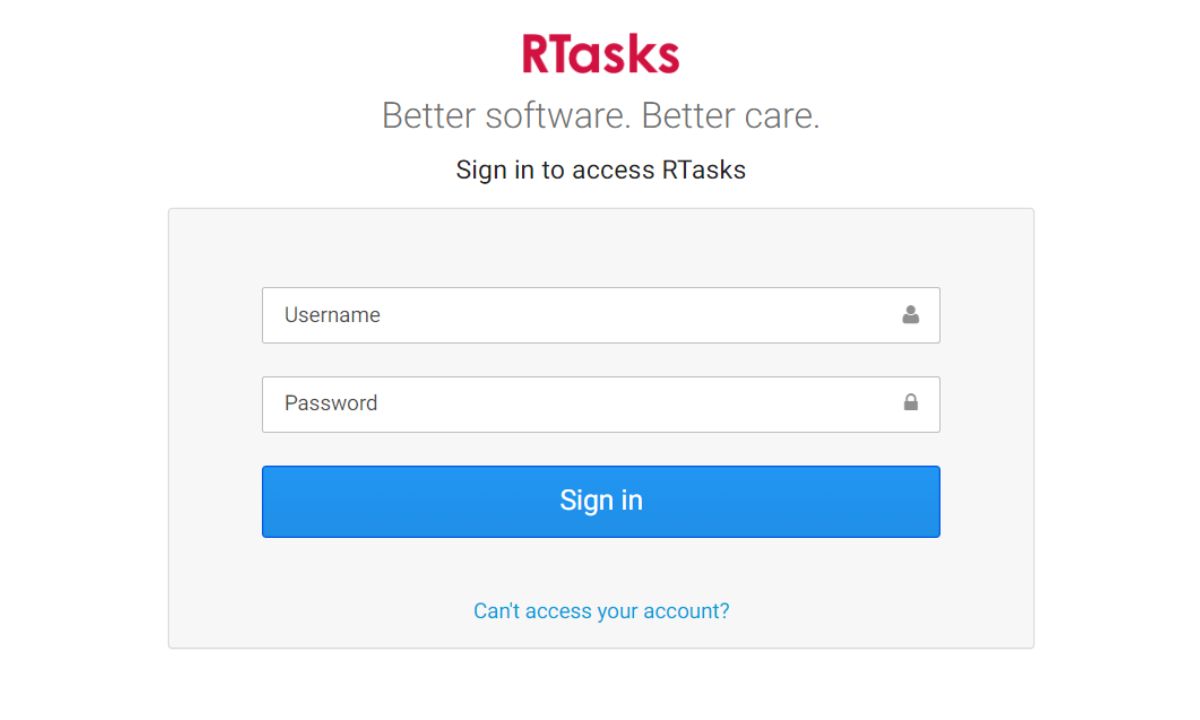
Open a web browser and go to www.RTasks.net. The login page will display fields for your username and password. Some facilities also use a site code that must be entered alongside your credentials. If you are unsure whether your organization uses one, check with your administrator before your first login attempt.
Always access the portal through a current, updated browser. Google Chrome, Mozilla Firefox, and Microsoft Edge all work reliably. Older versions of Internet Explorer are not recommended and may cause display or authentication issues.
First-Time Sign-In: Setting Up Your Account
New user accounts are created by your facility administrator through the back-end system. Once your account is ready, you will receive an email with a startup link. Click that link to create your username and set a temporary password. On your first login with those credentials, you will be prompted to change the temporary password to something permanent.
During the initial setup process, take a moment to add a recovery phone number. This step is easy to skip when you are in a hurry to get started, but it becomes essential if you ever need to reset your password quickly during a shift. Setting it up now saves a lot of frustration later.
Two-Factor Authentication for Added Security
Some organizations have two-factor authentication enabled. When this security layer is active, the system sends a verification code to your registered phone number or email after you enter your username and password. You enter that code in the verification field to complete the login.
Two-factor authentication adds meaningful protection to accounts that hold sensitive resident health data. If your facility has not yet enabled this feature, it is worth discussing with your IT contact or your ResiDex account manager. The extra step takes only a few seconds but significantly reduces the risk of unauthorized access.
RTasks Login MN — What Minnesota Users Need to Know
The search phrase ‘rtasks login mn’ comes up frequently, and it deserves a clear explanation. It refers to users and organizations in Minnesota who are accessing the platform, not a separate version or a different login portal.
What Minnesota-Specific Usage Actually Means
Minnesota has a detailed and actively enforced assisted living licensing framework. Facilities operating under this framework are subject to documentation requirements, quality reporting obligations, and survey standards that differ in some ways from other states. The platform supports these Minnesota-specific requirements through state-aligned templates, quality reporting integrations, and documentation structures that match what local surveyors expect to see.
If you are working at a Minnesota facility, your account may have certain features or templates activated that are not present in accounts from other states. This is intentional and configured by your administrator or by ResiDex during account setup. If something looks different from what a colleague in another state describes, that is likely the reason.
Uploading Quality Data for Minnesota Facilities
One standout feature for Minnesota users is the direct integration with the state’s quality data portal. LeadingAge Minnesota members, in particular, have benefited from the ability to upload assisted living quality data without manually compiling it from separate systems. The platform handles the formatting and transmission, which removes a significant administrative burden from facility managers.
Quality data reporting is increasingly tied to state oversight in Minnesota. Facilities that can demonstrate consistent, accurate reporting are in a much stronger position during review periods. Having that capability built into the care management system is a practical advantage.
Tips for MN Administrators Managing Multiple Users
Facilities with large teams across multiple shifts face unique challenges when it comes to user management. A few practices make this significantly easier:
- Create new user accounts several days before an employee’s start date to avoid first-day access delays.
- Assign role-based permissions carefully so caregivers only access what is relevant to their responsibilities.
- Review inactive accounts at least monthly and disable or remove those that are no longer in use.
- Keep documentation templates updated whenever Minnesota updates its assisted living regulations.
- Use the broadcast alert feature for shift-change communications instead of relying on personal devices.
The Mobile App — Managing Care Away from the Desk
Caregivers spend their shifts moving. They are helping residents, responding to needs, and making decisions across a facility or a service area. Tying them to a desktop workstation for documentation defeats the purpose of a digital system. That is where the mobile application comes in.
Downloading and Setting Up the Mobile App
The app is available for both Android and iOS devices. Search for RTasks or ResiDex RTasks in the Google Play Store or Apple App Store. Once downloaded, open the app and log in using the same username, password, and site code you use on the desktop portal. Your account settings, assigned tasks, and resident information will all sync automatically.
One important note for first-time mobile users: your account must already be set up and active on the desktop portal before the mobile app login will work. If you are a brand new employee, confirm with your administrator that your account is fully configured before attempting to log in on your phone.
What You Can Do Inside the Mobile App
The mobile application is built for shift-level work. You can view your assigned task list, mark tasks as complete, document care observations, review resident medication schedules, and send messages through the secure internal communication channel. All of this is accessible from a phone or tablet while you are anywhere in the facility or out in the field.
For nurses managing medication passes, the mobile eMAR is particularly valuable. Documentation happens at the moment of administration rather than after the fact. That real-time entry reduces the errors that come from documenting from memory at the end of a busy shift, and it ensures the audit trail reflects what actually happened.
Mobile App vs. Desktop Portal — Knowing When to Use Each
The desktop portal is better suited for administrative and supervisory work. Generating compliance reports, updating care plans, managing user accounts, and reviewing analytics are all smoother on a full screen. If you are a director of nursing or a facility administrator, your primary work in the system will likely happen at a desktop.
The mobile app is designed for front-line use during active shifts. Task management, care documentation, medication tracking, and staff messaging are all faster on mobile when you are on your feet. A practical approach is to use whichever device fits the task at hand, since your account and data stay in sync across both.
Troubleshooting Common Login Issues
Login problems are a frustrating reality in any digital system, but most of them have simple solutions. Here is a practical guide to the most common issues and how to resolve them quickly.
Forgot Your Password? Here Is How to Reset It
Go to www.RTasks.net and click the ‘Forgot Password?’ link below the login form. Enter your registered email address or username when prompted. The system will send a password reset link to your inbox within a few minutes. Click the link and follow the steps to create a new password.
If the reset email does not arrive, check your spam or junk folder first. If it is not there, contact your facility administrator to verify that the email address associated with your account is current and correctly spelled. A wrong email address on file is one of the most common reasons password resets fail.
Account Locked After Multiple Failed Attempts
The system locks accounts temporarily after several failed login attempts. This is a deliberate security measure to protect resident health data from unauthorized access. If you find yourself locked out, do not keep trying. Contact your facility administrator, who can unlock the account from the admin panel. Alternatively, reach out to ResiDex support directly.
Before attempting to log in again after a lockout, double-check a few basics: make sure Caps Lock is off, confirm you are using the correct username format, and verify you are on the real login portal rather than a bookmarked page from a cached session.
Browser and Connectivity Issues
The platform performs best on up-to-date versions of Google Chrome, Mozilla Firefox, or Microsoft Edge. If the login page is loading slowly, displaying incorrectly, or not responding as expected, clear your browser cache and try again. If the problem continues, switching to a different browser will often resolve it.
Slow or unstable internet connections can also produce login errors that look like credential problems but are actually network issues. If multiple staff members are experiencing similar problems at the same time, check the facility’s network connection before troubleshooting individual accounts.
When to Contact Support Directly
Most login issues can be resolved by your facility administrator. For problems that require back-end access or involve a technical fault in the system itself, reach the support team by email at support@residex.com or by phone at 866-512-8369, extension 2. The ResiDex support staff can address account-level and configuration issues that administrators do not have tools to fix on their own.
Benefits of Using a Dedicated Care Management Platform
Beyond the features and functionality, the decision to use a purpose-built care management platform like this one carries real-world benefits that show up in the daily experience of every person on the team.
Reducing Administrative Burden on Staff
The average caregiver at a paper-based facility spends a meaningful portion of every shift filling out forms, updating logs, and tracking down information that should be immediately accessible. Digital task management changes this. Pre-built documentation templates eliminate blank-page work. Automated task reminders reduce the mental effort of remembering what needs to happen and when. Integrated reporting saves supervisors from manually compiling data across multiple sources.
When caregivers spend less time on paperwork, they spend more time with residents. That is not just a quality-of-life improvement for staff. It is a direct improvement in the quality of care that residents receive.
Improving Resident Safety and Care Quality
Digital task tracking closes the gaps that paper systems leave open. When a caregiver completes a care step and documents it in the system, the time and their credentials are recorded automatically. If something was missed, it does not get buried or overlooked. It shows up clearly on the supervisor’s dashboard.
Emergency communication is another area where the platform delivers real safety value. When a resident’s condition changes suddenly, the broadcast alert feature can notify every on-duty staff member in seconds. That kind of immediate, coordinated response is impossible to replicate with personal phones and informal text chains.
Staying Compliant with State and Federal Regulations
Regulatory compliance in long-term care is not optional, and the documentation burden that comes with it is significant. Every medication pass, every care plan update, every incident, and every assessment needs to be recorded accurately and accessibly. The platform builds that documentation trail automatically, because every action taken in the system is time-stamped and attributed to a specific user.
For facilities that have struggled with survey deficiencies related to documentation gaps, switching to a digital platform typically results in measurable improvement at the next review. The records are there, they are organized, and they are searchable.
Cost and Return on Investment
The platform operates on a subscription model. Pricing starts around $1,000 per month and varies based on the number of users and the specific features required by the facility. There is no free trial, so facilities typically begin the process with a product demonstration arranged through ResiDex Software.
For organizations still operating on paper or managing documentation across disconnected tools, the investment is often offset relatively quickly. The time savings on documentation, the reduction in compliance-related risks, and the improvement in staff efficiency add up to a tangible return that many facilities find justifies the cost within the first year.
Integrations and Third-Party Compatibility
No care platform operates in a vacuum. The organizations using this system also rely on pharmacy software, scheduling tools, state reporting portals, and other external systems. The platform is designed to work alongside these rather than in opposition to them.
Tools the Platform Works With
Calendar integrations allow care appointments and task deadlines to sync with external scheduling tools, keeping care plans and scheduling aligned without double entry. State data portal integrations, particularly relevant in Minnesota, allow quality data to be submitted directly from the system without manual file preparation.
For facilities working with external pharmacy providers, medication record alignment features help keep the eMAR consistent with what the pharmacy is dispensing. This reduces the reconciliation work that typically falls on nurses and medication aides, and it catches discrepancies before they become compliance issues.
Browser Add-Ons and Accessibility Tools
For administrative staff managing large volumes of documentation, password management extensions and browser shortcuts can make daily access faster and more organized. The platform is compatible with common third-party browser tools without any conflict.
Accessibility tools including screen readers and high-contrast display settings also work alongside the web-based portal, ensuring that staff members with visual impairments or other accessibility needs can use the system effectively. ResiDex can provide guidance on compatibility with specific accessibility software if needed.
Conclusion
RTasks has earned its position as a trusted standard in long-term care technology. Its combination of electronic health records, task management, eMAR, compliance reporting, and secure communication addresses the real daily challenges that care facilities face, not in a theoretical way, but in ways that play out during every shift.
Whether you are a caregiver logging into the system for the first time, a director of nursing reviewing compliance reports, or an administrator in Minnesota managing a large care team, the platform was built with your specific needs in mind.
The login process is clean and straightforward once you know the steps. The features are genuinely powerful when used with consistency. The compliance benefits compound over time as documentation becomes more complete, more accurate, and easier to access when it matters most.
If your facility is evaluating care management software, the first step is a discovery conversation with the ResiDex team. And once you are set up, logging in on day one is where the real change begins.
FAQ 1: What is RTasks and who makes it?
RTasks is a web-based care management and EHR platform launched in 2013 under the domain RTasks.net, originally developed by ResiDex Software, which was founded in 2000 by Dave Berg in Minneapolis, Minnesota. SelectHub In June 2025, the platform was officially rebranded as Residex®, an intelligent care platform now powered by Agentic AI, though the product functionality and user data remain unchanged. SoftwareWorld It is purpose-built for assisted living facilities, group homes, memory care communities, and home care agencies.
FAQ 2: Is RTasks the same as Residex?
Yes — Residex® is the company that built RTasks, and in 2025, it officially rebranded the RTasks product under the Residex name, describing itself as “the trusted name behind RTasks and a proven leader in senior care software.” Google Sites As of September 23, 2025, the old URL RTasks.net automatically redirects to app.residex.ai, though all login credentials, patient data, settings, and functionality remain unchanged for existing users. SelectHub Users searching for RTasks are now effectively using the Residex platform.
FAQ 3: What types of facilities use RTasks?
RTasks from Residex Software is tailored to meet the needs of assisted living facilities, group homes, private duty nursing settings, and home care agencies of varying sizes. Rtasks The platform also supports small community-based residences for individuals with physical or intellectual disabilities, traumatic brain injuries, hospice needs, or behavioral health challenges. Editorialge This wide care setting coverage makes it one of the more versatile platforms in long-term care software.
FAQ 4: How many modules does RTasks (Residex) include?
The current Residex platform includes 14 seamlessly integrated modules covering EHR, eMAR, compliance tracking, billing, and incident reporting, empowering clinical and administrative teams to work more efficiently. SoftwareWorld Additional features include activity management, housekeeping, building maintenance, eFax communication, pharmacy management, time clock functionality, customizable assessments, and marketing tools to manage leads. SelectHub Together these modules eliminate the need for separate disconnected systems across departments.
FAQ 5: What does RTasks stand for in the context of long-term care?
The “R” in RTasks refers to Resident or Residential, and “Tasks” reflects the platform’s core function of organizing daily care duties for staff. RTasks is a comprehensive web-based task management and documentation system designed to enhance efficiency in assisted living facilities, home care providers, and healthcare organizations by allowing caregivers to digitally track patient care, medication schedules, and task assignments. MyLabCorp The name reflects the shift from paper-based workflows to structured, digital task management in care settings.
FAQ 6: Where is the official RTasks login page?
The official login page has transitioned from www.RTasks.net to app.residex.ai following the September 2025 rebranding. The old RTasks.net URL still redirects to the new address, but users are advised to update their bookmarks and password managers to point directly to app.residex.ai for the smoothest experience. SelectHub Your username, password, and any facility site code required before the transition remain valid and unchanged.
FAQ 7: What are the RTasks login credentials?
RTasks login credentials consist of a registered email address and account password, both set at the time of signing up or when your administrator creates your account. Rtasks Some facilities also assign a site-specific code that must be entered alongside those credentials. First-time users receive a startup link by email and must complete initial password setup before their first login.
FAQ 8: Does RTasks support two-factor authentication (2FA)?
Yes, RTasks allows and recommends setting up two-factor authentication for added login security. With 2FA enabled, logging in requires both your password and an authentication code generated by your smartphone or sent to your email. Rtasks Recovery codes for 2FA are provided at the time of setup under account settings and should be saved securely, as they can restore access if your 2FA device is ever lost or unavailable.
FAQ 9: Can you log into RTasks using Google or Microsoft accounts?
Yes, RTasks supports signing in with Google or Office 365 accounts via OAuth. Users can look for the relevant social login icons on the RTasks login page, which eliminates the need to remember separate credentials for the platform. Rtasks This option is particularly useful for facilities that already standardize on Google Workspace or Microsoft 365 for staff email and authentication.
FAQ 10: Does RTasks lock your account after too many failed login attempts?
According to the official RTasks FAQ, the platform currently does not lock accounts after multiple failed login attempts Rtasks, though some facility-level configurations may apply different security rules. If you are experiencing repeated login failures, check for simple issues like Caps Lock, browser cache, or an outdated bookmarked URL before contacting support.
FAQ 11: How do I reset my RTasks password?
To reset your RTasks password, go to the login page, tap the “Forgot Password” link below the login button, enter your registered email address, and follow the reset instructions sent to your inbox. Rtasks If the reset email does not arrive, check your spam folder and confirm with your administrator that the correct email address is associated with your account. After resetting, you will be prompted to create a new permanent password.
FAQ 12: Does RTasks include an eMAR (electronic medication administration record)?
Yes, RTasks includes a fully integrated eMAR and pharmacy management system as part of its platform, allowing care staff to document medication administration in real time. SelectHub In 2024, RTasks announced an integration with Axys by RedSail Technologies, enabling real-time synchronization of medication orders between pharmacy and facility systems through an SSL-encrypted, HIPAA-compliant platform. MyLabCorp This integration reduces medication errors and removes manual reconciliation work from nursing staff.
FAQ 13: How many reports does RTasks offer?
RTasks offers robust reporting and analysis capabilities with over 1,500 reports available, covering areas such as incident reporting, resident assessments, medication management, activity tracking, billing, and compliance documentation. SelectHub Reports can be filtered by resident, date range, staff member, or category to generate the exact view needed for audits or internal reviews. The depth of reporting is frequently cited as one of the platform’s most valuable features for administrators and directors of nursing.
FAQ 14: Does RTasks have a built-in time clock for staff?
Yes, Residex Time Clock Management allows staff to clock in and out directly within the RTasks environment without any additional tools or integrations. Staff are prompted to clock in when they log into the system, and managers can review and edit time entries for accurate payroll reporting. SelectHub Each employee can also view their own time history at any point, promoting self-accountability across the team.
FAQ 15: Can RTasks track activities and enrichment programs for residents?
Yes, RTasks includes an activities and enrichment management module. Staff can create activity calendars, prompt caregivers to chart attendance and participation, and document life enrichment efforts as part of the resident’s overall care record. SelectHub This feature directly supports the holistic care requirements that many state licensing frameworks now evaluate during surveys, including personalized engagement beyond just medical and personal care tasks.
FAQ 16: What is RTasks Connect?
RTasks Connect is a web-based care management feature within the platform that enables staff and healthcare providers to communicate, track tasks, and access resident information on the fly. It is specifically designed for long-term care settings where clear, fast, and secure communication is critical. LeadingAge Minnesota It replaces the informal text message chains and unencrypted communication channels that many care facilities previously relied on for shift-to-shift coordination.
FAQ 17: How much does RTasks cost per month?
Based on the most recent analysis, Residex (formerly RTasks) pricing starts at $1,000 per month, with costs varying based on the number of users and the specific features required by the facility. MyLabCorp There is no free trial available. Facilities typically begin the process by booking a 15-minute introductory chat and a 60-minute product demonstration before receiving a customized pricing proposal.
FAQ 18: What do users say about RTasks in reviews?
RTasks has received a user satisfaction rating of 90% across recognized software review sites. Users consistently praise the platform for being intuitive and straightforward, even for staff who are not particularly tech-savvy. MyLabCorp One long-time user noted that when contacting customer support, you speak with the same representative every time, and if a suggestion is made, the team actually listens and implements changes MyLabCorp — a level of responsiveness rarely found in larger enterprise platforms.
FAQ 19: What are the main complaints about RTasks?
The most frequently cited criticisms of RTasks include limited customization for complex care requirements, difficulty integrating with certain external healthcare tools, and user interface challenges for staff who are not technology-comfortable. SelectHub Some healthcare administrators also find the reporting and analytics capabilities less robust than competing platforms like ContinuLink, Carecenta, and Foothold, making data-driven decision-making more difficult. Software Advice These limitations are most relevant to larger facilities with advanced analytics needs.
FAQ 20: What are the top RTasks alternatives?
Some of the most frequently considered alternatives to RTasks include ALIS, eResidentCare, Momentum EHR, LifeLoop, K4Community, iCON, and Oracle Health Long-Term Care, depending on facility size and feature requirements. Capterra ALIS holds an analyst rating of 72 in direct comparisons, while RTasks is ranked number one in SelectHub’s Long Term Care Software product directory based on user data. SelectHub The best choice depends on the facility’s size, budget, and specific compliance needs.
FAQ 21: Why do people search for “RTasks login MN”?
The phrase “RTasks login MN” is searched by caregivers and administrators at Minnesota-based care facilities who use the platform under Minnesota’s assisted living licensing framework. Minnesota users have highlighted that the ResiDex team actively tracks Minnesota requirements for assisted living facilities, ensuring that documentation templates and survey-related features stay current with the latest MN regulatory trends. SelectHub The “MN” portion simply indicates location, not a separate version of the software.
FAQ 22: Is RTasks compliant with Minnesota assisted living regulations?
According to a G2 reviewer who is a current Minnesota facility user, RTasks keeps track of MN requirements for assisted living facilities, and users trust the platform to stay up to date with the latest survey trends and regulatory expectations. SelectHub The platform’s documentation structure, assessment tools, and incident reporting features are designed to align with state-specific licensing requirements, reducing survey deficiency risk for Minnesota operators.
FAQ 23: Does RTasks now have AI features?
Yes. Following the 2025 rebrand to Residex, the platform introduced Agentic AI — an innovative capability that actively supports care team decision-making and automates next steps in clinical and administrative workflows. SoftwareWorld In August 2025, Residex also unveiled Thea®, an always-on AI scheduling assistant, following its acquisition of Kevala, an AI-powered workforce management platform. SelectHub These AI tools mark a significant evolution from the original RTasks feature set.
FAQ 24: Is RTasks cloud-based and can it be accessed on any device?
Yes, RTasks is a fully cloud-based, web-based EHR platform that can be accessed across multiple browsers and devices, giving users the freedom to manage patient data from wherever they are — whether at a desktop, laptop, tablet, or smartphone. SelectHub The platform uses biometric scans and SMS-based verification to keep mobile sessions secure, and administrators can set short idle timeouts to automatically lock sessions on shared devices. Rtasks No local software installation is required.